Frequently Asked Questions
General Questions
What is this migration about?
We're migrating from Check Point Harmony Connect (sometimes referred to as Odo) to Prisma Access Browser (or PAB for short) to provide enhanced security, better performance, and improved user experience for remote access to Tufts Medicine resources in AWS and Azure.
Why are we changing systems?
The new Prisma Access Browser offers:
- Enhanced Security: Advanced threat protection and zero-trust architecture
- Better Performance: Faster connections and improved reliability
- Modern Features: Updated interface and better device support
When will this migration happen?
The migration follows a phased approach from August through early November 2025. See the timeline page for detailed schedules.
Technical Questions
What is Prisma Access Browser?
Prisma Access Browser is a customized browser designed for enterprise use that is fortified with security features to protect users and organizations against cyber threats like phishing, malware, eavesdropping, and data exfiltration. PAB is based on Chromium, the open-source project behind Google Chrome. You may notice the browser looks just like Chrome!
Will I lose my connections currently in Harmony Connect?
No! We intend to make the transition as smoothly as possible. After you download, install, and authenticate to the browser, you should see all the servers you had access to in Harmony Connect available to you in PAB.
What devices are supported?
Prisma Access Browser supports:
- Windows: Windows 10 and 11
- MacOS: Intel and Apple Silicon Macs, MacOS 12.0 or later
No admin privileges are required to install the browser. Mobile devices are supported as well, but won't be supported for remote connections at Tuts Medicine.
Do I need to install new software?
Yes, you'll need to install the Prisma Access Browser application. The installation process is straightforward and we will post detailed instructions soon.
Will my internet speed be affected?
In most cases, you should experience better performance with Prisma Access Browser due to optimized routing and improved infrastructure.
Access and Authentication
Will my login credentials change?
No, authentication will continue to happen through Microsoft Entra SSO for both Tufts Medicine and external partners. Multi-factor authentication requirements remain the same.
What if I work from multiple locations?
Prisma Access Browser is designed for mobile users and works seamlessly from any location with internet connectivity.
Support and Troubleshooting
What if I encounter issues during migration?
Multiple support options are available:
- Email: Send an email to
pab-support@tuftsmedicine.org - Self-Service: Review the known issues and our FAQ!
- Training Sessions: Scheduled office hours will be held over the upcoming weeks
Will there be training available?
Yes! Training options include:
- Video Tutorial: Available on this site - TBD
- Live Sessions: Office hours for Tufts Medicine folks
Timeline and Planning
Can I migrate early?
Early migration may be possible for pilot users. Check back here for details on how to be part of an early access program.
Will there be downtime?
There is no downtime window required. Check Point Harmony Connect will run up until the final cutover. Once confirmation all users have been migrated, we will decommission Harmony Connect.
Post-Migration
What if I need to go back to the old system?
We will keep an archive of how Harmony Connect was configured to ensure all connections are migrated to PAB.
How will I know the migration was successful?
You'll receive confirmation when:
- You can successfully log in to Prisma Access Browser
- All remote connections are available
Troubleshooting Common Issues
"No session cookie found" error
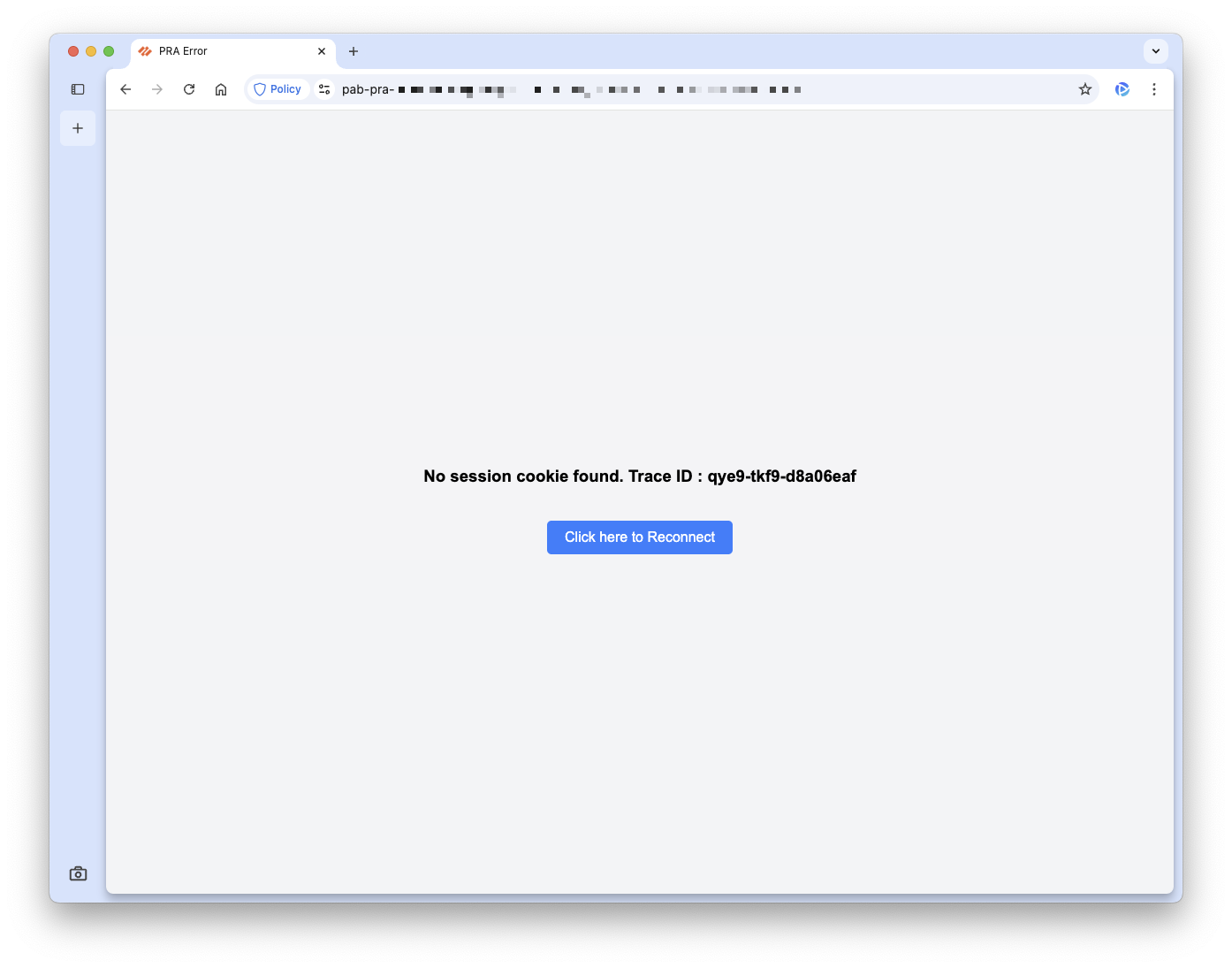
If you experience the above error when launching a remote connection, try these troubleshooting steps:
- Close your browser and re-open it
If that doesn't resolve the issue, try the following:
- In Prisma Access Browser, go to Settings → Privacy and security and click Delete browsing data.
- For Time range select All time. Make sure
Browsing history,Cookies and other site data, andCached images and filesare selected. - Hit Delete data.
Missing remote connections
If you feel like you had access to a system in Harmony Connect but no longer have access in PAB, please send an email to pab-support@tuftsmedicine.org with your email address and FQDN of the instance you had access to. Someone from the team will review and contact you with next steps.
Closing a connection closes the browser
This is not the desired behavior and we are currently working with Palo Alto support to come up with a solution. In the meantime, when you're done, rather than close the connection we suggest:
Windows
- Go to the start menu and type
logoff. - Click on the Home icon in the browser to take you back to the home page.
Linux
- Type
exitat the prompt. - Click on the Home icon in the browser to take you back to the home page.
What happens if I don't click Home?
If you remain in the tab you'll receive a "Connection failed due to authentication error. Please verify your credentials" message. It's safe to ignore.
DIDN'T FIND YOUR ANSWER?
Send an email to pab-support@tuftsmedicine.org with your question and someone will respond to your shortly.
FAQ last updated: September 19, 2025