Mac Installation Instructions
This guide will walk you through installing the Prisma Access Browser on your Mac. The process is straightforward and takes approximately 2-3 minutes to complete.
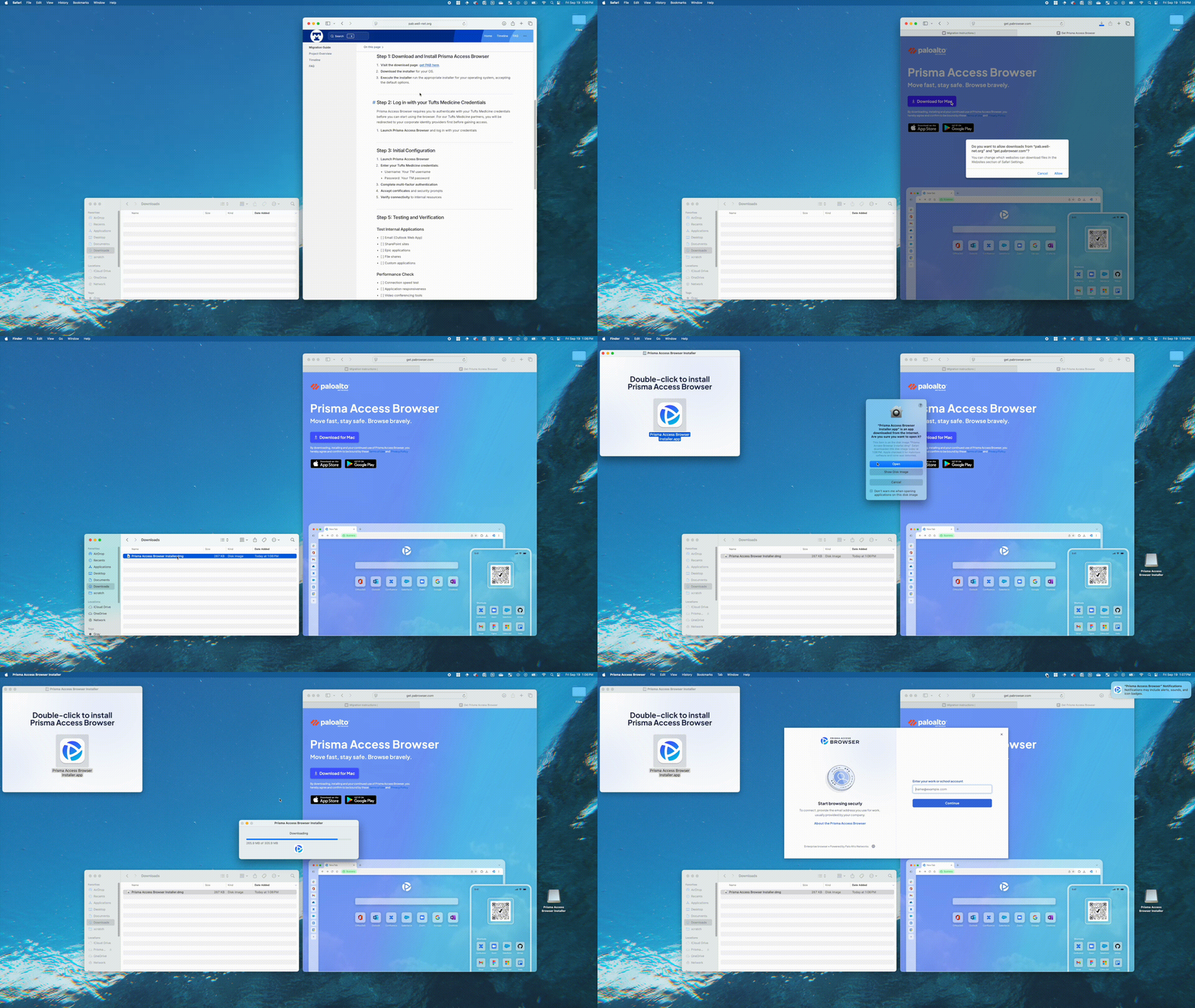
Visual Walkthrough
The following animation shows the complete installation process:
Step-by-Step Instructions
Download and Install Prisma Access Browser
Visit the download page: https://get.pabrowser.com/
Download the Mac installer
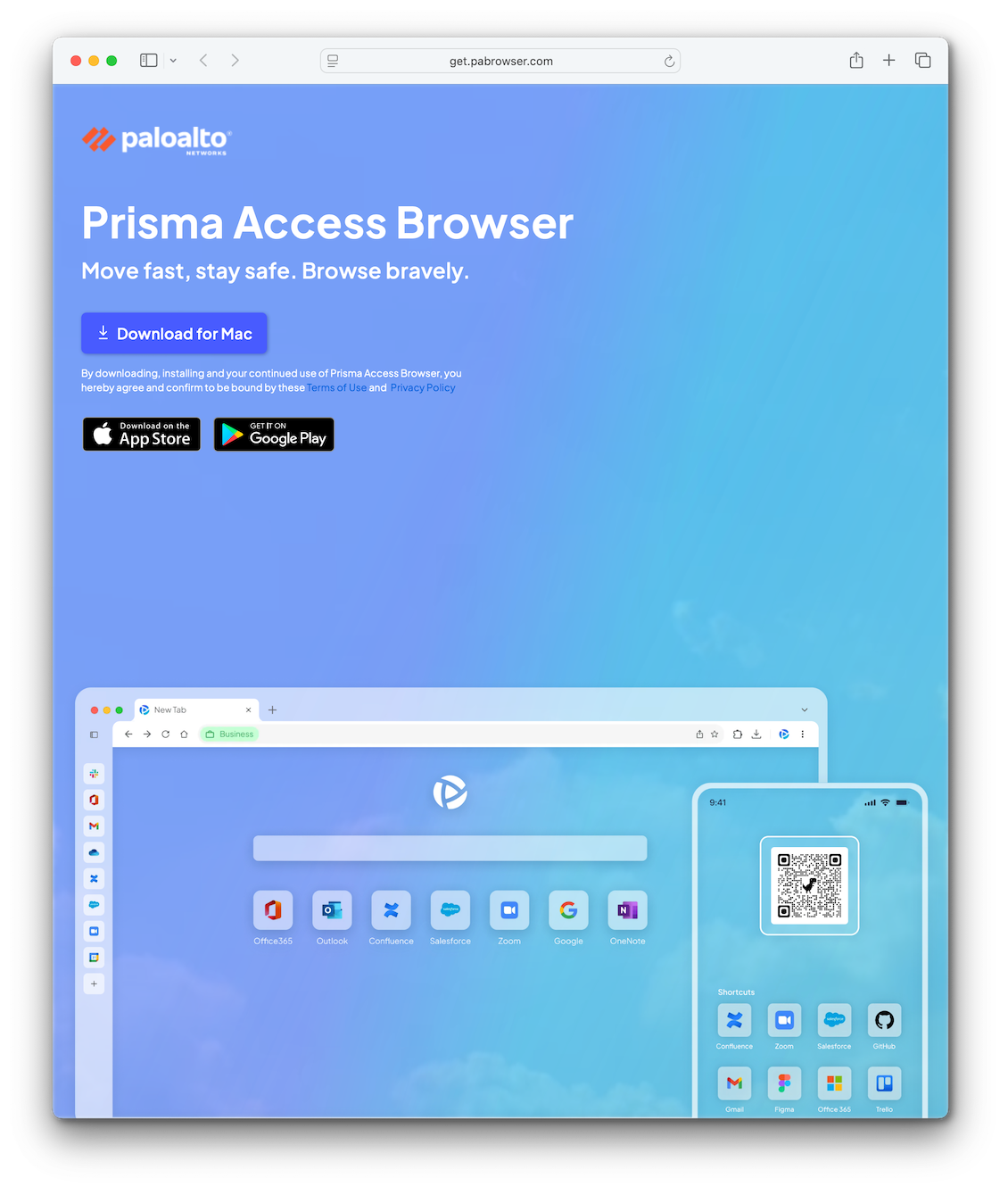
Once the download is complete, open
Prisma Access Browser Installer.dmgand double-click to install the browser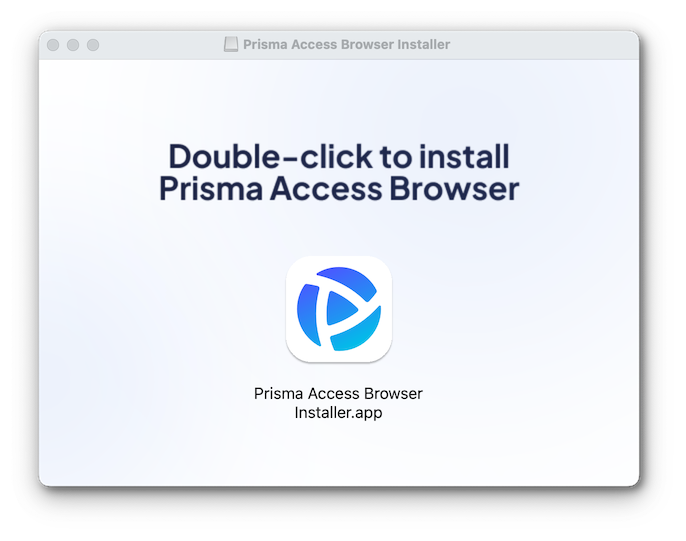
Complete the Installation
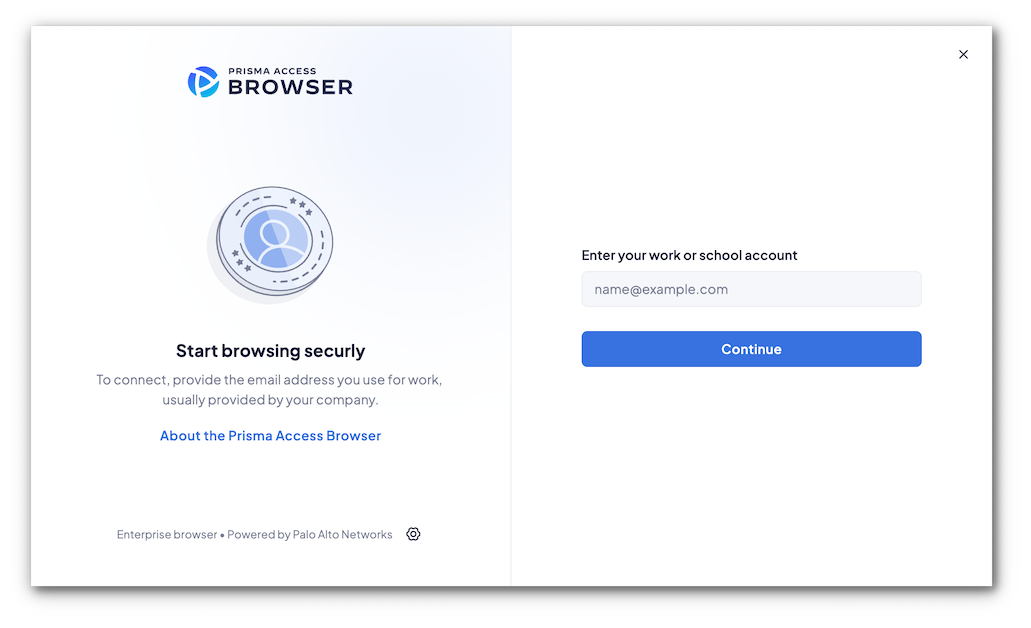
The installation process will immediately begin. When complete, you'll be prompted to enter your work or school account to continue.
Important
If you're a Tufts Medicine employee, use your @tuftsmedicine.org email address. You'll be taken to the familiar Tufts Medicine login page to enter your password.
If you're a guest, please follow our guest instructions.
Getting Help
🚨 Need help? Start with our known issues page and FAQ, or see our support and troubleshooting section.